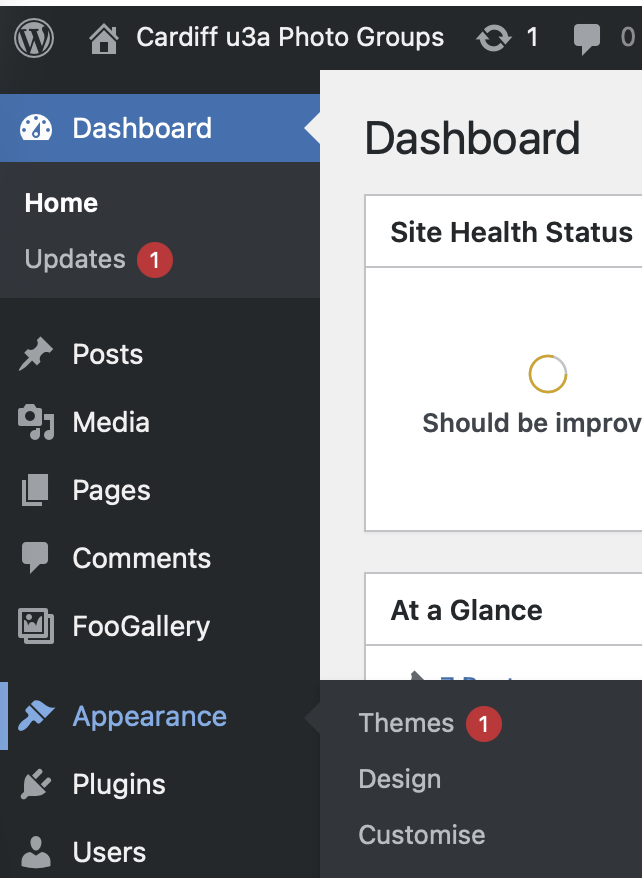
Only an Administrator can change this page. They have to login using an administrator userid and password. Then from the Dashboard – select the Appearance Tab in the Sidebar, and select Customise
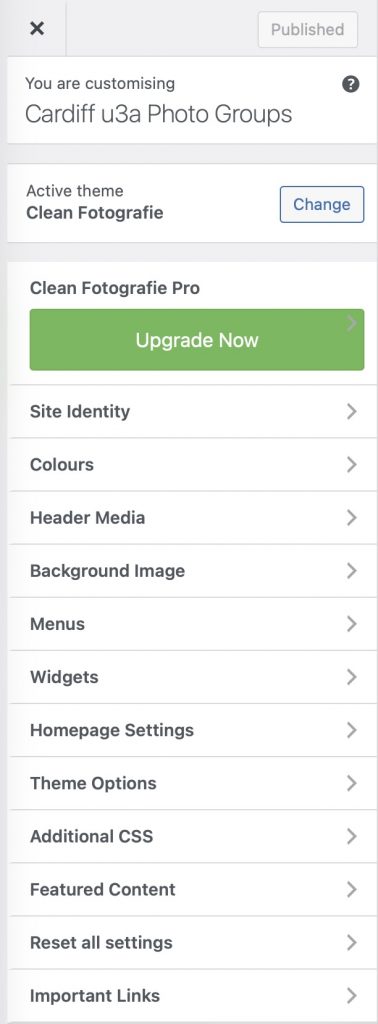
Select Header Media …
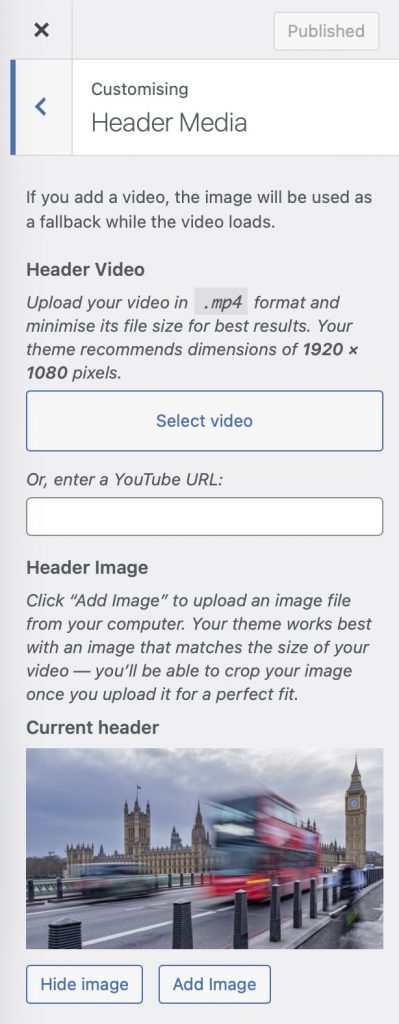
To change the Image of the Home Page – Select Add Image
Select an Image from the Media Library, or Upload an Image
Change Header Image Title and Header Image Text
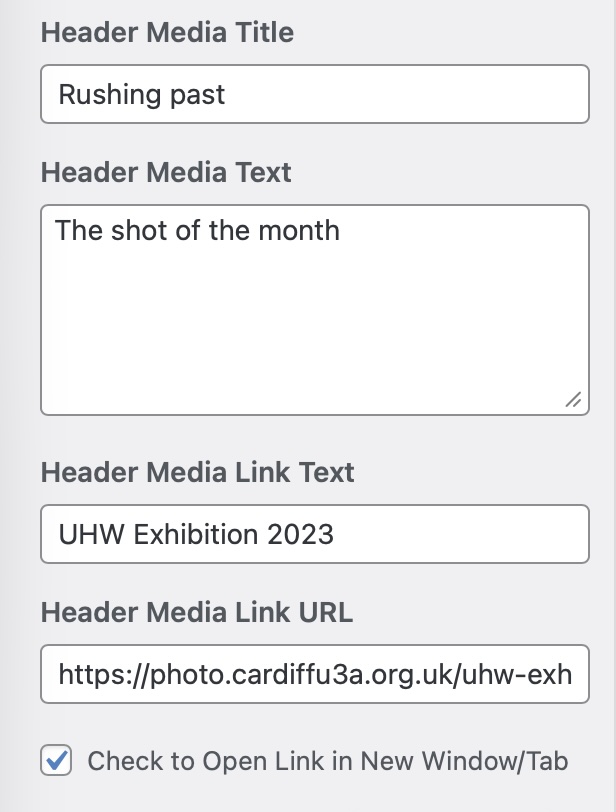
To change the Header Media Link
Change the Text (if necessary, or leave as it is)
Change the Header Media Text URL to link to a previously created Gallery page.